PowerPoint may become the screenshot format of business
For decades, business work has been packaged into files.
A strategy became a PowerPoint deck.
A proposal became a Word document.
A security status update became a PDF.
A board report became a static attachment.
That made sense in a world where humans manually assembled the artifact.
But AI changes the economics of creation.
When an AI system can generate text, layout, code, charts, logic, interaction, and data-connected views, we should ask a new question:
Why are we still asking AI to create a slide about the thing, when it can increasingly create the thing itself?
This is why I believe one of the most important AI-native business document formats will not look like a traditional Office file.
It will look more like a secure, web-native, interactive canvas.
In other words: HTML will become much more important in enterprise knowledge work.
Not because companies suddenly want .html files everywhere. They do not.
But because AI can generate interfaces better than it can generate static office artifacts.
The document is becoming an interface
The real shift is not from PowerPoint to HTML as file extensions.
The real shift is deeper:
- From documents to interfaces
- From attachments to live workspaces
- From static slides to interactive artifacts
- From manual formatting to AI-generated rendering
- From file governance to identity, data, and policy governance
A slide can describe a dashboard.
A web-native artifact can be the dashboard.
A PDF can summarize a security risk.
An interactive cockpit can let a CISO drill into the risk, filter by business unit, see remediation ownership, and open the underlying ticket.
A proposal deck can explain a cloud migration.
A secure customer microsite can include the business case, architecture, TCO calculator, next steps, assumptions, video explanation, and a Q&A agent.
This is not science fiction. The pieces are already visible.
The signals are already here
Look at the direction of the tools around us.
Claude Artifacts made it normal for AI output to become a rendered, interactive object: a website, visualization, app, diagram, or working component.
Microsoft Copilot Pages points in a similar direction: AI-generated work becoming persistent, collaborative, and editable, not just trapped inside a chat response.
Microsoft Loop and Fluid Framework show documents becoming live components that can move across collaboration surfaces.
SharePoint modern pages are already governed enterprise web documents, with permissions, versioning, metadata, web parts, embedded content, and compliance controls.
Teams tabs are web apps inside the collaboration flow.
Office Add-ins are built with HTML, CSS, JavaScript, and Office.js.
Adaptive Cards are structured, actionable micro-documents rendered inside workflows.
And outside the Microsoft ecosystem, tools like v0, Lovable, Gamma, Canva, Tome, and Beautiful.ai are all blurring the line between document, presentation, website, dashboard, and lightweight application.
The direction is clear:
AI does not only generate content. It increasingly generates surfaces for work.
Where this matters most
Office files will not disappear. Word, PowerPoint, Excel, and PDF remain essential for legal, procurement, archival, regulatory, formal approval, and offline review workflows.
But web-native canvases will become stronger wherever work needs to be:
- interactive
- data-connected
- personalized
- continuously updated
- collaborative
- embedded into workflows
- connected to business systems
- governed by enterprise identity and policy
Some examples are obvious.
1. Security reporting
Old model: a monthly PDF or PowerPoint with security posture charts.
AI-native model: an executive security cockpit connected to Microsoft Defender, Sentinel, ticketing, asset inventory, and risk scoring. The board sees the summary. The CISO sees drilldowns. The security team sees remediation ownership.
Same story. Better artifact.
2. Cloud business cases
Old model: a 40-slide migration business case.
AI-native model: an interactive TCO and migration scenario canvas, with assumptions, cost ranges, architecture views, dependency maps, risk notes, and downloadable board summary.
The decision maker does not only read the argument. They can test the argument.
3. Customer proposals
Old model: Word proposal plus PowerPoint plus pricing spreadsheet.
AI-native model: a secure customer microsite with ROI model, proposed architecture, implementation roadmap, assumptions, responsibilities, governance model, pricing scenarios, and next-step workflow.
This is not only more impressive. It is more useful.
4. AI and data strategy roadmaps
Old model: a static strategy deck that becomes outdated within weeks.
AI-native model: a living roadmap connected to initiatives, KPI progress, investment phasing, dependencies, business owners, and maturity assessments.
The strategy becomes a management surface, not a frozen presentation.
The enterprise catch: unmanaged HTML is not the answer
This is where many AI discussions become too simplistic.
The answer is not to let everyone generate random HTML files and send them around the company.
That would create serious risks:
- malicious JavaScript
- cross-site scripting
- unsafe embeds
- external resource loading
- data leakage
- broken dependencies
- prompt injection
- unclear ownership
- no retention model
- no audit trail
- no lifecycle governance
In enterprise environments, the future document cannot simply be “HTML.”
The future document has to be:
HTML + identity + policy + audit + data governance.
This is where Microsoft 365, Entra ID, Purview, SharePoint, Teams, Copilot, Defender, and Azure become strategically important.
The opportunity is not just better-looking AI output.
The opportunity is to create governed, secure, data-connected business canvases that fit how organizations actually operate.
What leaders should do now
The practical question for leaders is not: “Will PowerPoint die?”
It will not.
The better question is:
Which business artifacts should stop being static documents?
Start with high-value recurring artifacts:
- executive security reports
- board packs
- customer proposals
- cloud migration business cases
- AI adoption roadmaps
- compliance dashboards
- service review reports
- financial planning scenarios
- operational risk cockpits
Then ask five questions:
- Does this artifact need live data?
- Does it require different views for different roles?
- Does it drive decisions or only communicate information?
- Does it become outdated quickly?
- Would interactivity make the decision better?
If the answer is yes, a static file may be the wrong primary artifact.
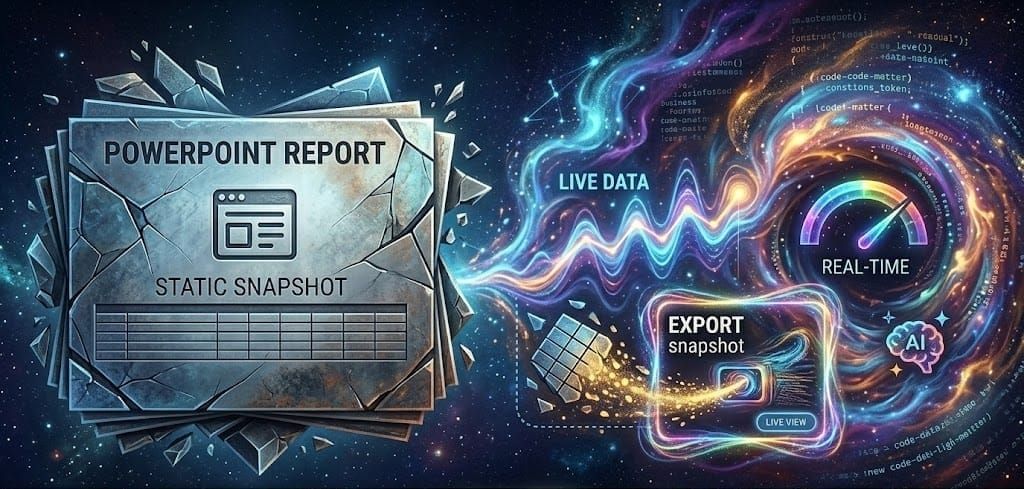
The slide deck can still exist.
But it may become the screenshot, summary, or export of a richer working surface behind it.
The real AI-native document
The AI-native business document will not be defined by its file extension.
It will be defined by what it can do.
Can it connect to data?
Can it adapt to the reader?
Can it support decisions?
Can it stay current?
Can it be governed?
Can it be audited?
Can it become part of a workflow?
That is why I believe the browser will become one of the most important canvases for enterprise AI.
Not as a replacement for every document.
But as the natural place where AI-generated business artifacts become interactive, secure, and useful.
PowerPoint may not disappear.
But in many cases, it may become the screenshot format of business.
The real work will happen in the governed canvas behind it.
Call to action
If your organization is already piloting Microsoft 365 Copilot, agents, or AI-generated reporting, do not limit the discussion to “How do we create better documents faster?”
Ask the more strategic question:
Which of our recurring business documents should become secure, data-connected, AI-native workspaces?
At Gloster Cloud, this is exactly the type of conversation we are having with customers around Microsoft 365, Azure, security, governance, and AI adoption.
If you want to explore where web-native AI artifacts could create value in your organization — from executive reporting to customer proposals, security cockpits, or cloud business cases — let’s talk.
The next competitive advantage may not be a better slide deck.
It may be replacing the slide deck with the working surface it was only trying to describe.